Features
Everything it does, and nothing it doesn’t.
OneTapAlert focuses on one job: getting an SOS alert and your location to the people you trust. Here is exactly what that includes.
SOS alerts
- Hold-to-send
- Press and hold the SOS button for 1 second, which avoids accidental alerts.
- Message and photo
- Add a short note or a photo to an alert. Both are shown to your contacts.
- Up to 3 trusted contacts
- The same limit on every plan. Each contact needs an email address; a mobile number is optional.
Location sharing
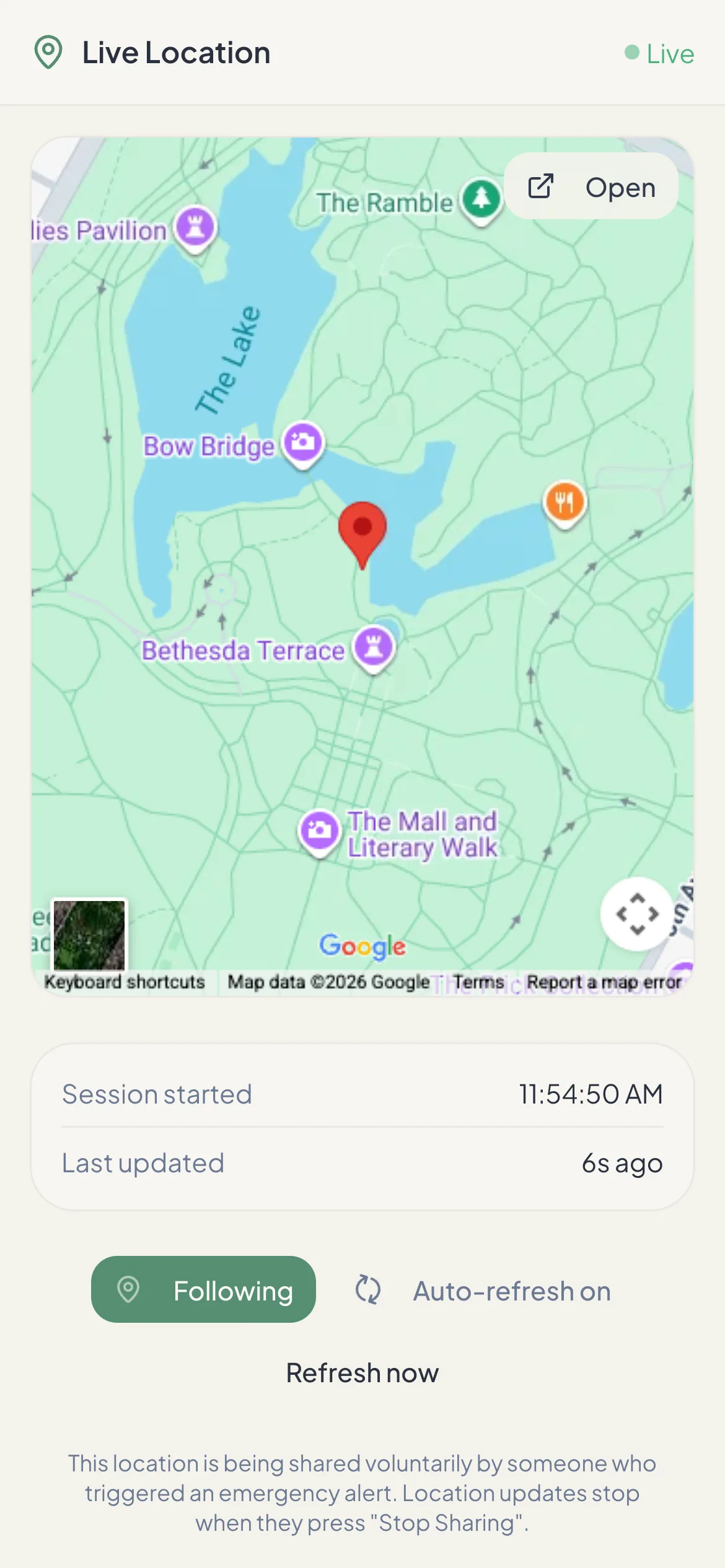
- Live map link
- Contacts open a private link in any browser. It refreshes every 10 seconds while you share.
- Start and stop on your terms
- Sharing starts with an alert and stops when you press Stop. Links expire after 24 hours.
- No background tracking
- Contacts can’t request your location or see your history outside an alert.
Notifications
- Email (all plans)
- An “Emergency Alert” email from support@onetapalert.com with a button to your live location.
- SMS (paid)
- Text messages with the alert, your message and the location link.
- Automated voice call (paid)
- A call from +1 877 405 9946 that reads out the alert in English and repeats it.
Safety timer
- Check-in timer (paid)
- Pick from a few minutes up to 24 hours. Turn it off when you’re safe.
- Runs on our servers
- If time runs out, contacts are alerted even if your phone is off or out of battery.
- Last known location
- The alert includes the most recent location your phone shared.
Works on
iPhone, Android and the web.
Install OneTapAlert from the App Store or Google Play, or add it to your home screen from app.onetapalert.com. Your contacts don’t need any of these — just email, and a phone for texts and calls.
Not included: professional monitoring, automatic 911 calls, fall or crash detection, or offline alerts. For those needs, see how to choose a safety app.
OneTapAlert is not an emergency service. It alerts the people you choose. It does not contact 911 or dispatch help. If you are in immediate danger, call 911 or your local emergency number.
- Your phone needs a data or Wi‑Fi connection to send an alert. There is no offline queue: an SOS cannot be delivered while you are disconnected.
- An SOS needs a location fix. If your phone cannot get one within about 20 seconds, the alert is not sent and the app tells you.
- GPS accuracy depends on your device, location permissions, surroundings and signal.
- Email, SMS and phone calls are delivered by third-party networks and can be delayed or fail. Contacts are not guaranteed to see or respond to an alert.
- SMS and call delivery outside the United States depends on carrier coverage at the destination.
Be Ready Before You Need It.
Set up your trusted contacts in a few minutes. The free plan sends SOS email alerts with a live location link. No credit card needed.